Welcome to GTACarShare !
The aim of this project is to build a place where everyone can share their modded vehicles for GTA 5 without the needing for an account, you can upload your favorite vehicles that you made and share them with others, or simply browse all other created vehicles and download any project you like by a simple click.
How to import the vehicles in the game:
Requirements : usb stick, gta 5 save editor installed, save wizard (paid) or have access to a
discord bot that can edit your saves (free), a save of your game
First of all, download the files for the vehicles you'd like to import into the game.
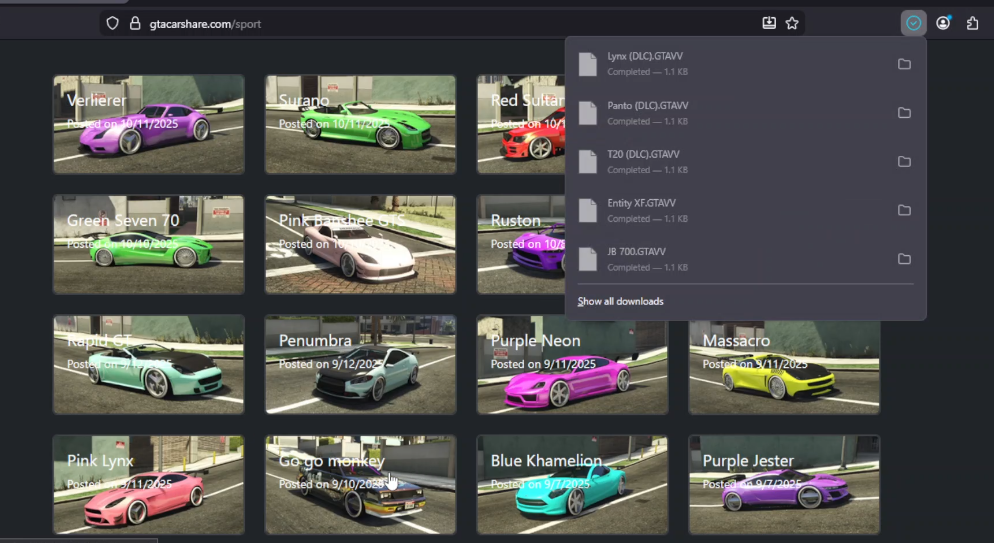
Once you gathered everything you wanted, you will need to get a DMO file, a glitched game save
file to import your vehicles, you can find one easily online.
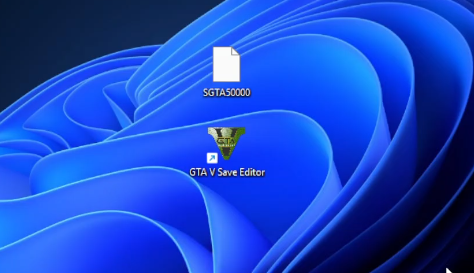
Open the DMO file in the gta 5 save editor program, as for the selected character stay on
Franklin, then go to garage -> vehicles and select a vehicle you'd want to replace.
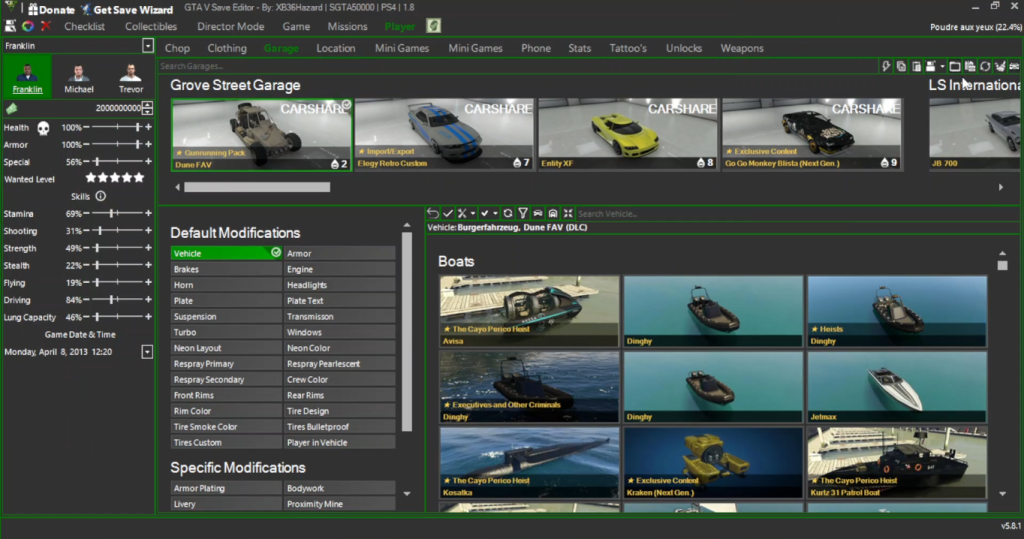
Finally next to the search bar, you'll find a button "replace vehicle".
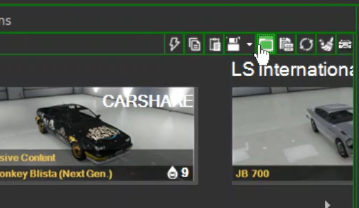
Click on it and it will open a window where you can select the .GTAVV file.
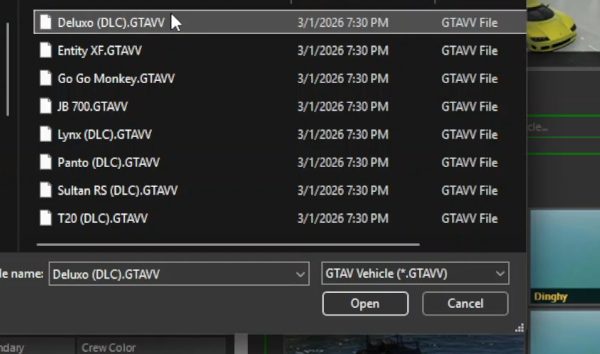
It will replace the selected vehicle by the one you choose.
It's possible to do several vehicles in one save but I don't recommend doing more than 7 at once.
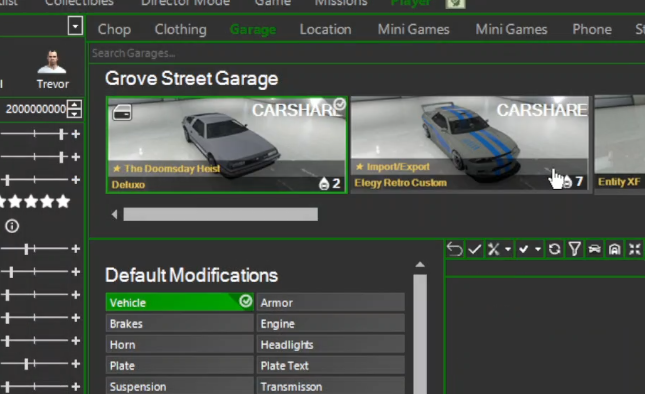
You can then save the changes and exit save editor, then head over to edit
the save to match your account, otherwise you won't be able to copy it on your ps4.
If you don't know how to do that, I recommend using a discord bot as it is a free method and you only need a discord account.
Join a server with one of these bots that can edit your save and carefully read the instructions.
Finally plug the usb stick in your ps4 and head up to the settings and copy the data from your usb stick to the ps4 storage.
Launch the game and you should have the imported vehicles in your garages.